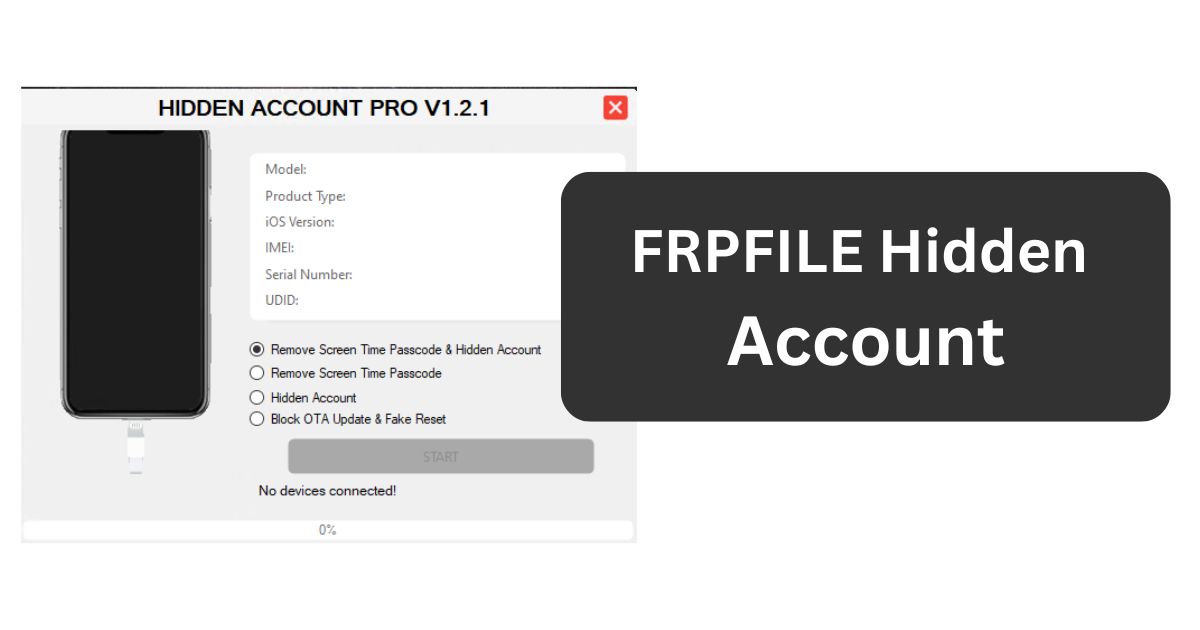
FRPFILE Hidden Account is a professional-grade solution designed to help legitimate owners and service technicians resolve account-linked locks that persist after resets or ownership changes. It focuses on cases where a hidden or previously linked account keeps triggering FRP or similar access blocks, preventing normal setup and use. The goal is to restore functional access quickly and safely while respecting data integrity and device security policies.
Table of Contents
What FRPFILE Hidden Account does
FRPFILE Hidden Account addresses scenarios where a device remains tied to an account in the background, even though the visible setup path seems clear. It detects device state, communicates over USB, and performs targeted operations to neutralize FRP or hidden-account checks so the owner can complete setup. It emphasizes repeatability, guided steps, and compatibility with a wide range of models typically seen in service centers.
When to use it
- Second‑hand devices with an old account still linked after a factory reset.
- Corporate or fleet devices where records exist but credentials are unavailable.
- Customer repairs where a legitimate owner cannot pass FRP after service or wipe.
- Trade‑ins or refurbishment where proof of ownership is available but prior accounts block activation.
These are practical, lawful use cases where the objective is device recovery for rightful owners, not circumventing theft protections.
Core features and benefits
- Hidden account handling. Targets stubborn background account bindings that keep re-triggering device protection during setup.
- FRP workflow support. Provides a guided process to address FRP prompts without unreliable manual tricks.
- Broad device coverage. Aims to support multiple Android brands and versions common in the repair ecosystem, with updates improving coverage over time.
- Time efficiency. Reduces turnaround compared to vendor-only routes, which is valuable for shops and technicians.
- Clear status feedback. Presents detection, progress, and result indicators that help diagnose issues quickly.
For professionals, these advantages translate into faster service, improved customer satisfaction, and consistent procedures across mixed device inventories.
Practical workflow overview
A typical session follows a clear, methodical path to keep risk low and outcomes predictable:
- Prepare the workstation. Install required USB drivers, ensure a stable OS environment, and disable conflicting utilities during the session.
- Ready the device. Charge sufficiently, use a known-good cable, and place the device into the correct mode (download, recovery, or fastboot) as appropriate.
- Connect and detect. Attach via USB, confirm that the device is recognized, and verify that the correct model or profile loads.
- Select operation. Choose the hidden-account or FRP procedure suitable for the device’s current state and Android version.
- Execute and wait. Allow the routine to complete without interruptions; avoid unplugging or letting the PC sleep.
- Reboot and set up. After success, restart the device, complete initial setup, and sign in with the rightful owner’s credentials.
This workflow minimizes human error and makes it easier to train new technicians without trial-and-error methods.
Compatibility notes and limitations
- Platform environment. Best used on a stable desktop OS with proper drivers and administrative permissions.
- Model variability. Not every device or security patch will be supported immediately. The newest firmware builds can close methods that worked previously.
- Data considerations. Some operations may preserve data; others may require resets. Always treat preservation as a goal, not a guarantee.
- Continuous updates. Security ecosystems evolve. Keeping the tool current is essential to maintain success rates on newer devices.
A realistic expectation is essential: no solution offers 100% coverage. Responsible operators maintain clear communication with clients about what is possible on a given patch level.
Risk management and best practices
- Verify ownership. Work only with devices you own or devices brought in by customers with clear authorization and documentation.
- Maintain logs. Keep service records, IMEI/serial references, intake forms, and consent signatures.
- Safeguard data. Attempt backups when accessible. Inform clients that recovery processes can carry data loss risk on locked or unstable devices.
- Control the environment. Use a direct motherboard USB port, a high-quality cable, and avoid hubs during critical stages.
- Power stability. Prevent PC sleep, ensure UPS protection in shops, and keep device battery above a safe threshold.
- Post‑service checks. After completion, confirm that setup works, services are accessible, and no residual lock prompts appear.
These practices reduce liability, improve outcomes, and build trust with clients who depend on reliable repair services.
Technician tips for consistent results
- Driver hygiene. Conflicting or outdated drivers cause device misdetection. Clean and reinstall vendor drivers when issues persist.
- Cable discipline. Replace questionable cables immediately; intermittent connections are a common cause of partial writes or stuck processes.
- Port testing. If detection fails, try a different USB port or a different PC to isolate OS-level conflicts.
- Sequence adherence. Follow the exact operation order for the device family. Small deviations can change results.
- Document routines. Create internal SOPs per brand and Android version, and update them when methods change.
Consistency multiplies results across teams and reduces troubleshooting time.
Download FRPFILE Hidden Account V1.2.1
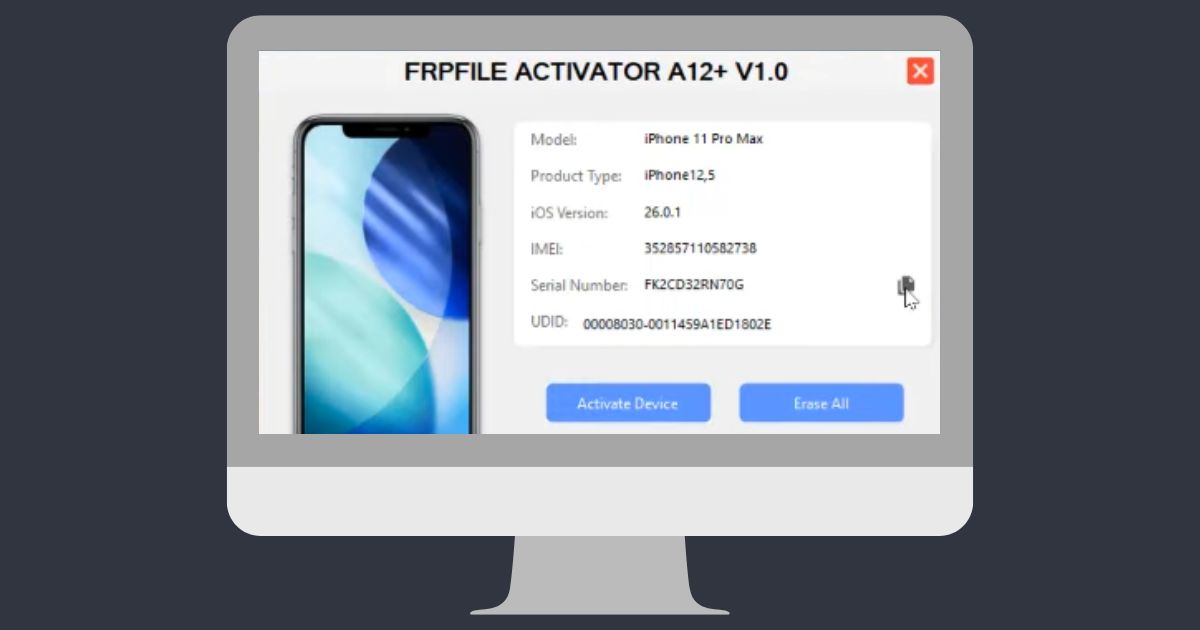
| Details | Specification |
|---|---|
| Tool Name | FRPFILE Hidden Account V1.2.1 |
| Password | 123 |
| Platform | Windows |
| Supported Devices | A12+ iPhones and iPads |
| Supported iOS | iOS 17.0 – iOS 18.7.1 |
| Tool Size | Around 83 MB (varies by source) |
| Developer | Community / Independent Developer |
| Activation Type | WiFi-based activation (requires Hello Mode) |
| Download Link | Mega Server |
Ethical and legal framing
FRP and account locks exist to protect users and deter theft. Using bypass tools on devices without clear authorization undermines those protections and may violate local laws. The right approach is straightforward:
- Use only on owned devices or with explicit client consent.
- Decline work on suspicious devices without proper documentation.
- Respect regional regulations, privacy rules, and warranty terms.
Professionalism in this domain means balancing effective recovery with the security expectations built into modern mobile platforms.
Advantages and limitations recap
Advantages:
- Faster recovery for rightful owners.
- Repeatable, documented processes in a shop setting.
- Potential cost savings compared to vendor-only routes.
Limitations:
- Coverage varies by model, region, and security patch.
- Some procedures may require data wipes.
- Not a substitute for original credentials when policy requires them.
Setting expectations up front prevents surprises and ensures customers understand both potential and constraints.
FAQ
Is FRPFILE Hidden Account safe for customer devices?
When used by a trained technician in a controlled environment, it is designed to operate within predictable boundaries. As with any system‑level operation, there is inherent risk, so backups and careful preparation are recommended.
Does it erase user data?
It depends on the device state and the routine used. Some paths preserve data, while others require resets; discuss options with the customer before proceeding.
Can it unlock every model or firmware?
No single tool covers everything. New security patches can block previous methods, so success depends on model, region, and update level.
Will this void the warranty?
Non‑authorized modifications can affect warranty eligibility. Many manufacturers reserve the right to deny claims when security mechanisms are altered.
Is it legal to use on second‑hand devices?
Legal use hinges on proof of ownership and local regulations. Always require valid documentation and avoid processing devices with unclear provenance.
Do I need advanced technical skills?
Basic familiarity with Android boot modes, drivers, and PC troubleshooting is important. Clear SOPs and careful adherence to steps greatly improve outcomes.
How can I minimize errors during the process?
Keep the workstation stable, prevent sleep, close conflicting utilities, maintain a clean driver environment, and follow the prescribed sequence for the specific device family.